Logging
Groups
Group logs by field to see counts and distributions
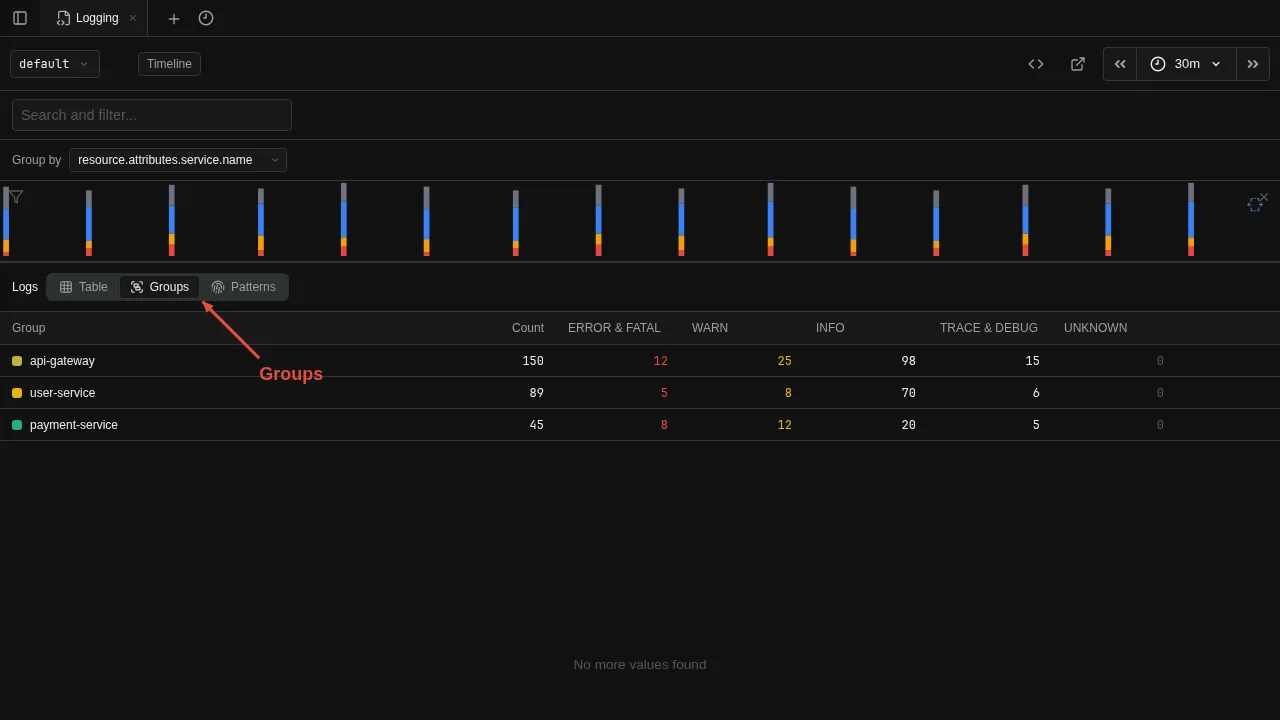
Group logs by a field to see counts and distributions. Click the Group by button in the toolbar to choose a field — the view switches automatically to show a table of unique values with their counts. Click any row to drill down: the value becomes a filter and the view switches back to the log list.
This is useful for spotting patterns — for example, grouping by service.name to see which service produces the most errors, then clicking through to see those logs.