User Settings
Customize time zones, time format, and number formatting
Open the settings dialog by clicking the logo menu in the top-left corner, then selecting Preferences.
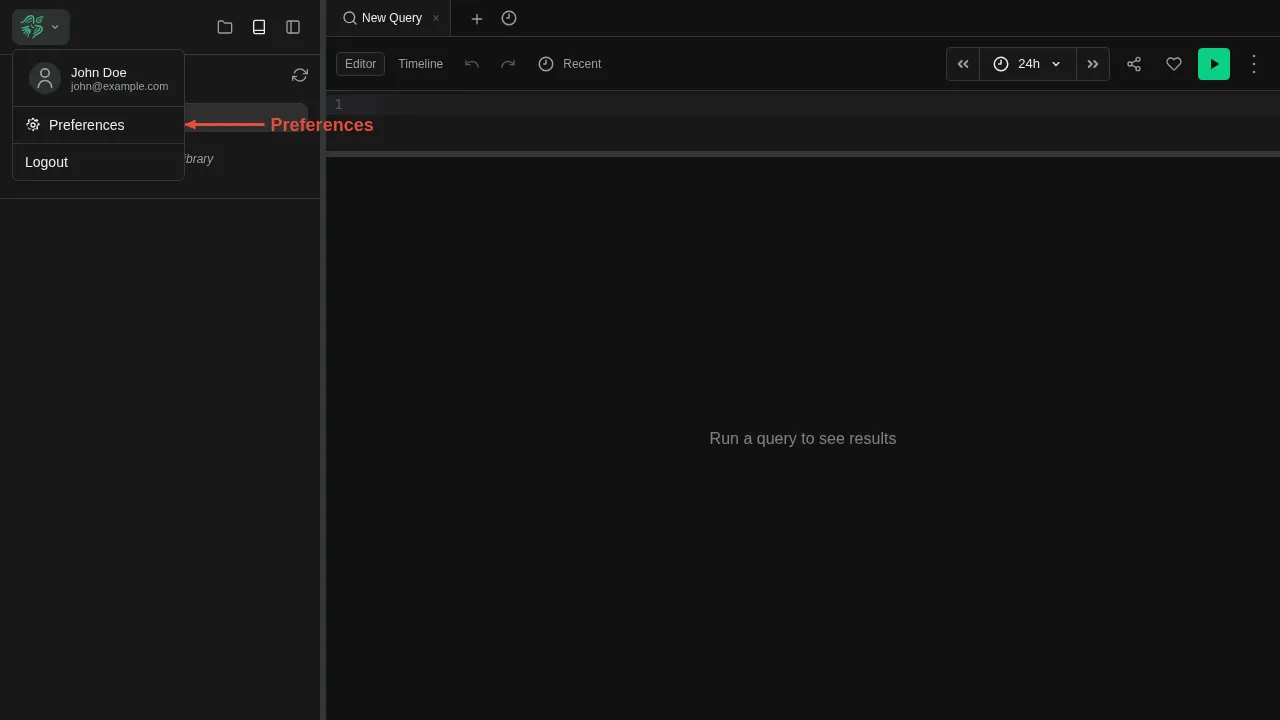
Preferences Dialog
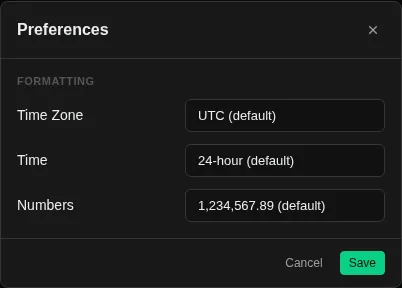
The preferences dialog lets you customize how data is displayed across the UI. Changes are saved per user and apply immediately.
Time Zone
Controls the timezone used to display timestamps throughout the UI — in log entries, time selectors, and query results. Defaults to UTC.
Available zones include major regions such as Europe, Americas, and Asia-Pacific. Changing the timezone does not affect how data is stored — it only changes how timestamps are rendered.
Time Format
Switch between 24-hour (13:45) and 12-hour (1:45 PM) display. This affects all timestamps shown in the UI.
Number Format
Controls how large numbers and decimals are formatted:
| Style | Example |
|---|---|
| US (default) | 1,234,567.89 |
| EU | 1.234.567,89 |
| Space | 1 234 567.89 |