User Settings
Customize time zones, time format, and number formatting
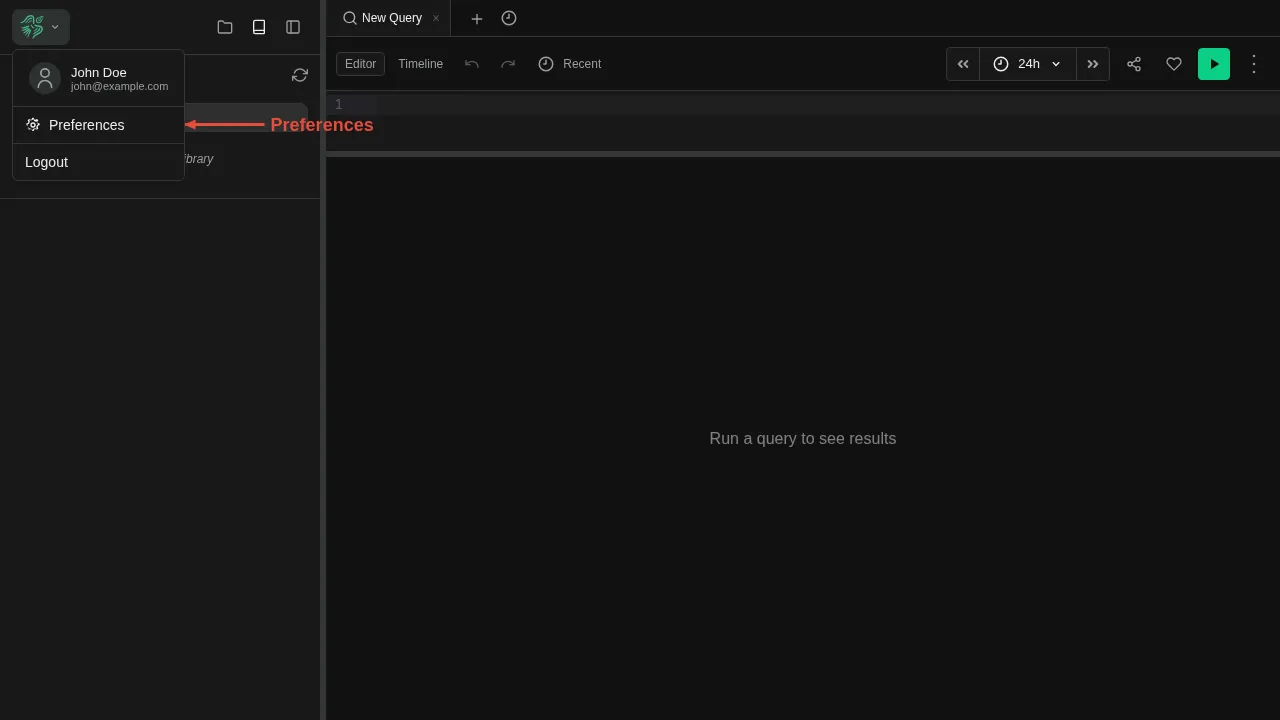
Open the account menu by clicking the Berserk logo at the top of the sidebar, choose Settings, then Experience.
Experience
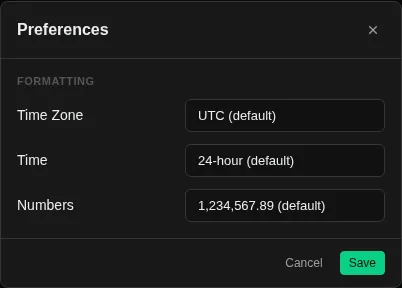
This page lets you customize how data is displayed across the UI. Press Save to keep your changes; they are saved per user.
Theme
Your default appearance: System, Light, or Dark. The theme switch in the account menu changes it for the current browser only.
Time Zone
Controls the timezone used to display timestamps throughout the UI — in log entries, time selectors, and query results. Defaults to UTC.
Available zones include major regions such as Europe, Americas, and Asia-Pacific. Changing the timezone does not affect how data is stored — it only changes how timestamps are rendered.
Time Format
Switch between 24-hour (13:45) and 12-hour (1:45 PM) display. This affects all timestamps shown in the UI.
Number Format
Controls how large numbers and decimals are formatted:
| Style | Example |
|---|---|
| US (default) | 1,234,567.89 |
| EU | 1.234.567,89 |
| Space | 1 234 567.89 |